
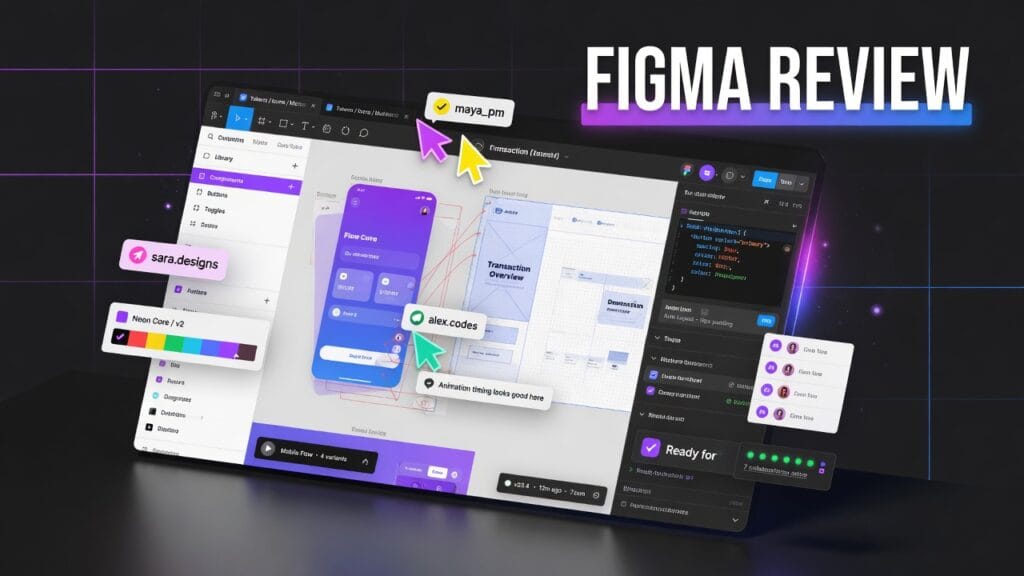
Let’s be honest.
Figma is one of those tools that somehow went from “design app” to “the place where product teams live now.”
Designers use it. Developers get dragged into it. Product managers leave comments in it. Clients wander around in it like confused tourists. And somehow, despite all of that chaos, it still works pretty well.
So here’s the real question:
Is Figma actually worth using in 2026, or is it just the default design tool everybody keeps paying for because switching sounds miserable?
Short answer: yeah, Figma is still worth it — especially if you design interfaces, build products, work with a team, or need one place for design, prototypes, feedback, and developer handoff. Figma positions itself as a collaborative design platform for brainstorming, designing, building, and shipping products faster with teams.
The quick answer
If you want the blunt version before we get into it:
- Yes, Figma is worth it for designers, product teams, startups, and anyone building apps or websites.
- It’s especially strong for UI/UX design, prototyping, collaboration, design systems, and developer handoff.
- It’s probably not worth it if you only need basic graphics, casual design work, or a simple image editor.
That’s the clean version.
What Figma actually is
Figma is a collaborative product design platform. At its core, it’s used for UI design, UX design, prototyping, design systems, and teamwork. But it has grown beyond just “draw some screens.” Figma’s own plans and features page lists products like Figma Design, Dev Mode, FigJam, Figma Slides, and Figma Make, with beta products like Figma Sites and Figma Buzz also in the mix.
In normal-person language:
Figma is where teams design the thing, argue about the thing, prototype the thing, hand off the thing, and sometimes pretend the thing is almost done.
And honestly, that’s why it’s so useful.
What Figma does well
This is where Figma earns its spot.
1. Collaboration is still the killer feature
Figma’s biggest strength is that it was built for people working together.
Multiple people can work in the same file, comment, review, inspect, and move through designs without constantly passing files around like it’s 2011 and everyone hates themselves.
That matters because modern design is not a solo cave activity anymore. Designers, developers, managers, clients, and founders all want access. Figma makes that messy reality more manageable.
2. It’s great for UI and product design
Figma is especially strong for:
- app design
- website design
- wireframes
- clickable prototypes
- design systems
- component libraries
- responsive layouts
Its pricing page lists core design features like components, auto layout, styles, interactive prototypes, advanced animations, overlays, team libraries, variables, conditional logic, and more advanced prototyping tools depending on the plan.
That’s a lot of serious product-design muscle.
3. Dev Mode makes handoff cleaner
Developer handoff is where a lot of design tools go to die.
Figma’s Dev Mode is specifically built to help designers and developers transfer design into code more clearly. Figma says Dev Mode helps streamline the designer-to-developer workflow, lets developers check measurements, and includes integrations like a VS Code extension.
That does not mean developers will suddenly stop complaining.
Let’s not get ridiculous.
But it does help.
4. It has become a bigger creative/product ecosystem
Figma is not just one app anymore.
The ecosystem now includes:
- Figma Design
- FigJam
- Dev Mode
- Figma Slides
- Figma Make
- Figma Draw
- Figma Sites
- Figma Buzz
That makes Figma feel less like a single design tool and more like a product-building workspace.
If your team is already using it, that ecosystem effect becomes a real advantage.
What kind of user Figma is best for
Figma makes the most sense for:
- UI designers
- UX designers
- product teams
- startup teams
- web designers
- app designers
- developers working with designers
- anyone building digital products with feedback loops
Basically:
if your work involves designing apps, websites, interfaces, or product experiences, Figma is one of the safest picks.
If your work is more photo editing, video editing, or general social graphics, Figma might not be the tool you actually need.
What sucks about Figma
Now for the part where we stop pretending it’s perfect.
1. Pricing can get annoying for teams
Figma has a free Starter plan, but once you’re using it seriously with teams, seats, products, and add-ons, the pricing can start feeling less cute.
Figma’s pricing page lists a free Starter plan, Professional for small teams, Organization, and Enterprise. Organization full seats are listed at $55/month billed annually, and Enterprise full seats at $90/month billed annually, with different seat types like full, dev, and collab seats.
So yeah, Figma can be free to start.
But “free to start” and “cheap forever” are two very different animals.
2. It can feel like too much if you only need simple design
If all you need is a basic social media graphic or a quick flyer, Figma can be overkill.
It’s not trying to be Canva. It’s not trying to be Photoshop. It’s a product design tool first.
So if you use it for the wrong job, it may feel more complicated than necessary.
3. It depends heavily on how organized your team is
Figma gives you tools for libraries, components, files, projects, and team workflows.
But if your team is messy, Figma will not magically turn everyone into disciplined product monks.
A chaotic team can still create chaotic files.
The tool helps. It does not parent you.
The pricing situation
Figma’s pricing page currently shows:
- Starter — free
- Professional — for pros and small teams
- Organization — with full seats listed at $55/month billed annually
- Enterprise — with full seats at $90/month billed annually, plus dev and collab seat options
The Starter plan includes unlimited drafts, UI kits and templates, and AI credits. Professional adds things like unlimited files and projects, team-wide design libraries, advanced prototyping tools, and Dev Mode inspection.
So the real pricing question is:
Are you using Figma as a serious design workspace, or are you just poking around?
If it’s serious, the price can make sense.
If it’s casual, you may not need much beyond the free tier.
So is Figma worth it?
Yeah — for the right person, absolutely.
Figma is worth it for:
- product designers
- UI/UX teams
- startups
- web and app designers
- teams that need collaboration and handoff
- anyone building digital products seriously
It’s probably not worth it for:
- people who only need simple graphics
- creators who want a pure photo editor
- users who hate structured design tools
- teams that won’t stay organized no matter what software they use
My honest verdict
Figma is still one of the best design tools out there for digital product work.
Not because it’s cheap.
Not because pricing is simple.
And definitely not because every product manager comment deserves to exist.
It’s strong because it brings design, prototyping, collaboration, feedback, and developer handoff into one place better than most tools. Figma’s own product lineup now covers design, Dev Mode, FigJam, Slides, Make, Sites, and more, which shows how far it has expanded beyond basic screen design.
So here’s the clean verdict:
Use Figma if:
- you design apps or websites
- you work with a team
- you need prototypes and design systems
- you want smoother handoff between design and development
Skip Figma if:
- you only need simple graphics
- you want a photo editor
- you hate structured design workflows
- you are not doing UI, UX, or product design work
Final thoughts
Figma is not just popular because everybody forgot to look for alternatives.
It’s popular because it solves a real problem: product design is collaborative, messy, and full of people who all need to touch the work without destroying it.
Figma makes that easier.
And honestly, that’s enough reason for it to still deserve its spot.