
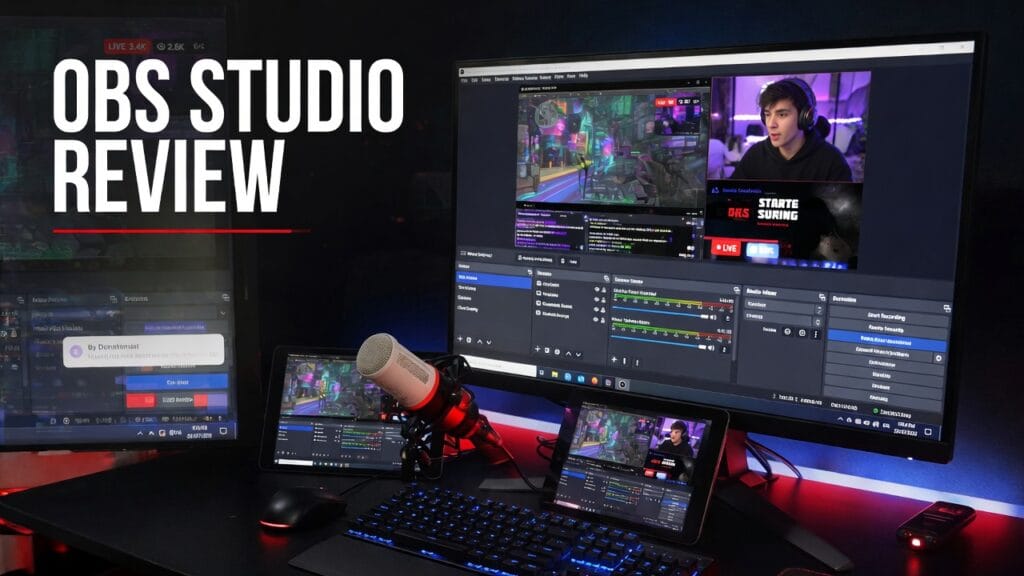
Let’s be honest.
OBS Studio is one of those tools people recommend so casually that you’d think it came preinstalled in human civilization.
Need to stream? “Use OBS.”
Need to record your screen? “Use OBS.”
Need to build a whole live production setup in your bedroom while pretending you’re not slowly becoming your own tech support department? “Yeah bro, just use OBS.”
And to be fair, there’s a reason people keep saying that.
So here’s the real question:
Is OBS Studio actually worth using in 2026, or is it just the default answer because it’s free and everyone is used to it?
Short answer: yeah, OBS is absolutely worth using for a huge number of creators. OBS still describes itself as free and open source software for video recording and live streaming, available on Windows, macOS, and Linux, and the project explicitly says it has no watermarks or restrictions and can be used commercially.
The quick answer
If you want the blunt version before we get into it:
- Yes, OBS Studio is worth using for a lot of creators.
- It makes the most sense for streamers, YouTubers, tutorial creators, podcasters with video, and anyone who needs serious recording or live streaming software without paying monthly for the privilege.
- It’s probably not the best fit if you want the easiest beginner experience on earth and have zero patience for setup.
That’s the clean version.
What OBS Studio actually is
OBS Studio is a free, open-source program built for recording and live streaming. The official site says you can use it on Windows, Mac, or Linux, and its GitHub page describes it as software for capturing, compositing, encoding, recording, and streaming video content.
In normal-person language:
OBS is the tool you use when you want real control over your stream or recording setup and don’t feel like paying a subscription just to push a red button.
That’s a big part of why it’s still so relevant.
What OBS does well
This is where OBS earns all the love.
1. It is actually free
And not fake free.
OBS’s own help site says it is absolutely free, open source, distributed under GPLv2, has no watermarks, no limitations, and can be used commercially.
That matters a lot.
Because a lot of recording and streaming software loves pretending to be free right up until you want:
- decent quality
- no watermark
- longer recording time
- or basic features that should have been there in the first place
OBS does not play that game.
2. It gives you real scene control
This is one of OBS’s biggest advantages.
It’s not just a “record my screen” button. It’s a full live production environment where you can build scenes with:
- screen capture
- webcam
- gameplay
- browser sources
- overlays
- audio sources
- media files
- and more
That flexibility is a huge reason people stick with it.
It’s the kind of tool that scales with you. If today you only need basic screen recording, fine. If six months from now you want overlays, alerts, webcam framing, layered scenes, and stream control, OBS can grow into that too. Its GitHub page explicitly frames the software around capturing, compositing, encoding, recording, and streaming video efficiently.
3. It works on all the major platforms
OBS’s download page lists support for:
- Windows 10 and 11
- macOS 12.0 and newer
- Linux
That matters more than people think.
Because if your workflow changes or you swap machines, it’s nice not to be trapped in one operating system prison.
4. It has a strong plugin ecosystem
This is one of OBS’s secret weapons.
The official OBS forums have a large plugins/resources area with things like audio tools, camera tools, zoom tools, visualizers, Stream Deck integrations, and all kinds of workflow extensions.
So even if the base software doesn’t do every weird thing you want immediately, there’s a decent chance someone has built a plugin for it already.
That keeps OBS from feeling boxed in.
What kind of user OBS is best for
OBS makes the most sense for:
- streamers
- YouTubers
- screen-recording creators
- tutorial creators
- people recording gameplay
- creators who want free software with serious flexibility
- anyone building a more custom live or recording setup
Basically:
if recording or streaming is a real part of your workflow, OBS has a very real lane.
If you just want the most brain-dead-simple one-click experience possible, then that lane gets shakier.
What sucks about OBS
Now for the part people love to skip.
1. It can feel intimidating at first
This is the obvious one.
OBS is powerful, but it’s not built around holding your hand like you’re walking through a children’s museum.
If you open it with zero idea what scenes, sources, bitrate, or audio routing are, there is a very real chance you will stare at it for a minute and wonder who let you in here.
That doesn’t mean it’s bad.
It just means it expects at least a little willingness to learn.
2. Setup can be annoying
OBS gives you a lot of control, which is great.
It also means you are the one responsible when:
- the audio is wrong
- the mic is clipping
- the webcam is in the wrong scene
- the game capture is black
- or your stream looks like it was routed through a toaster
That’s part of the deal.
You get flexibility, but you also inherit some responsibility.
3. It is more tool than toy
This is one of the reasons people love it and fear it at the same time.
OBS is not trying to be “cute creator software.” It’s trying to be useful. That’s great long-term, but it also means beginners may need a little more setup patience than with simpler paid apps.
The pricing situation
This is one of OBS’s biggest wins:
there really isn’t one.
OBS is free, open source, and according to its own help pages, has no watermarks or restrictions and can be used commercially.
That makes it one of the best software values in this whole space, period.
Its current official download page lists version 32.1.2, released April 21, for Windows, macOS, and Linux.
So the pricing question is not:
“Can I afford OBS?”
It’s:
“Am I willing to learn a stronger free tool instead of paying for something simpler?”
That’s a much better problem to have.
So is OBS Studio worth it?
Yeah — for the right person, absolutely.
OBS is worth it for:
- streamers
- recording-heavy creators
- YouTubers
- tutorial makers
- people who want serious control without paying
- creators willing to learn a stronger tool
It’s probably not the best fit for:
- people who want everything set up for them instantly
- users who hate tweaking settings
- creators who only need extremely basic capture and would rather pay for simplicity
My honest verdict
OBS Studio is still one of the best creator software tools out there.
Not because it’s flashy.
Not because it has some giant marketing machine behind it.
And definitely not because it’s trying to sell you a premium plan every five seconds.
It’s strong because it is free, flexible, cross-platform, and actually powerful enough to grow with you. OBS’s official site and help docs still make the value proposition very clear: real recording and streaming software, no watermark nonsense, and no fake “free” catch.
So here’s the clean verdict:
Use OBS Studio if:
- you stream
- you record your screen or gameplay
- you want serious control
- you like free software that doesn’t feel crippled
- you’re willing to learn a little
Skip OBS Studio if:
- you want the easiest possible setup
- you hate troubleshooting anything
- you’d rather pay for a simpler, more guided experience
Final thoughts
OBS is not overhyped.
It’s just not lazy-user software.
That’s the difference.
If you’re willing to put in a little setup effort, OBS can do a ridiculous amount for zero dollars. And in a world where software keeps charging more to do less, that still counts for a lot.