Let’s be honest.
Premiere Pro is one of those programs people either swear by or complain about like it personally keyed their car.
And honestly? Both reactions make sense.
It’s still one of the biggest names in video editing, still deeply tied into the Adobe ecosystem, and still one of the first tools a lot of creators think of when they want to edit seriously. But it also comes with the usual Adobe baggage: subscriptions, complexity, and the occasional feeling that you’ve entered a very expensive relationship with a lot of history.
So here’s the real question:
Is Adobe Premiere Pro actually worth using in 2026, or are people just still using it because it became the default?
Short answer: yeah, it’s worth using — especially if you edit often, work across Adobe apps, or need a serious editing platform with pro-level workflow support. Adobe’s official Premiere pages position it as professional video editing software with features like Media Intelligence, Generative Extend, Object Mask, and Text-Based Editing, all aimed at speeding up real editing work.
The quick answer
If you want the blunt version before we get into it:
- Yes, Premiere Pro is worth it for a lot of creators and editors.
- It makes the most sense for YouTubers, editors, freelancers, agencies, content teams, and people already using Adobe apps.
- It’s probably not the best fit if you want a one-time purchase, hate subscriptions, or only need simple editing.
That’s the clean version.
What Adobe Premiere Pro actually is
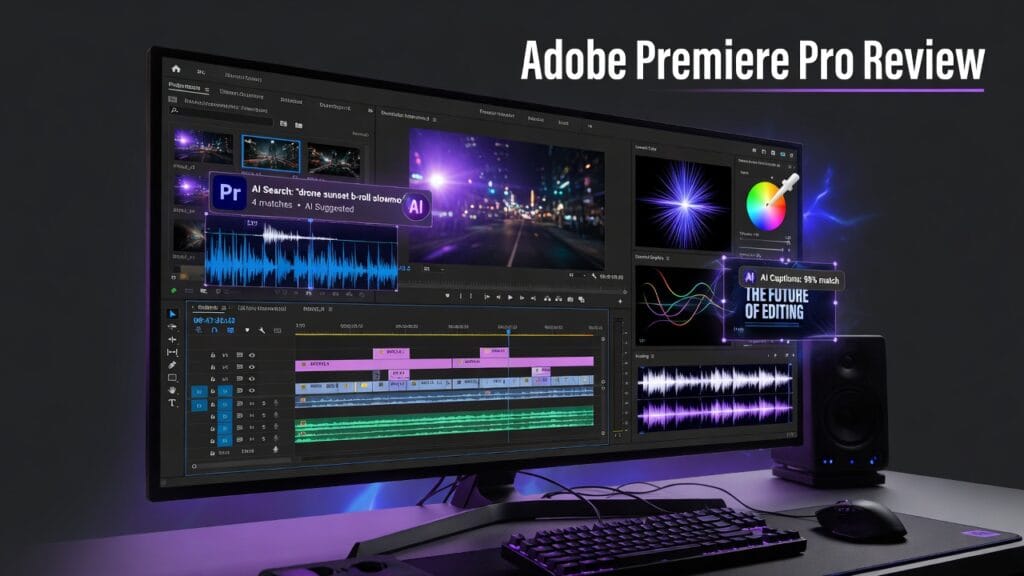
Premiere Pro is Adobe’s flagship professional video editing software. Adobe’s product pages frame it as a serious post-production tool for editing, captioning, searching footage, masking, and using generative AI features like Generative Extend. Adobe also highlights Text-Based Editing, Media Intelligence, and Object Mask, which shows the tool is still pushing toward faster modern workflows instead of just being an old-school timeline editor.
In normal-person language:
Premiere Pro is still the big mainstream editing software for people who want a serious tool and don’t mind dealing with a serious tool.
What Premiere Pro does well
This is where Premiere earns its place.
1. It’s still a real professional editor
This sounds obvious, but it matters.
Premiere is not trying to be a “cute beginner app.” It’s built for real editing work. Adobe’s official materials emphasize pro-level editing, multicam workflows, masking, captions, search, and broader post-production support.
That means if you edit often, work with clients, or need something that can handle more than simple cuts and transitions, Premiere still makes sense.
2. The AI workflow features are actually useful
This is one of the bigger reasons Premiere still feels current.
Adobe now highlights features like:
- Media Intelligence for finding footage by description
- Generative Extend for extending audio and video clips
- Text-Based Editing for building rough cuts from transcripts
- Object Mask for faster masking work
And to be fair, these are not just random “AI” stickers slapped on a button to impress investors.
These are the kinds of features that can actually save time.
3. It plays very well with the Adobe ecosystem
This is one of Premiere’s biggest advantages.
If you already use:
- Photoshop
- After Effects
- Audition
- Illustrator
- Creative Cloud in general
then Premiere gets way more attractive. Adobe’s Creative Cloud pages clearly position Premiere inside the bigger app ecosystem, which is still a major reason people stick with Adobe in the first place.
That integration matters because editing rarely exists in a vacuum.
4. It’s familiar to a huge amount of the industry
This still counts for something.
Premiere is widely used, widely taught, and widely understood. That doesn’t mean it’s always the best tool in every situation, but it does mean there’s a lot of support, training, and workflow familiarity around it.
That makes it easier to grow into than some more niche tools.
What kind of user Premiere Pro is best for
Premiere makes the most sense for:
- YouTubers who edit often
- freelancers
- agencies
- editors working with clients
- content teams
- people already using Adobe Creative Cloud
- creators who want a serious editing platform with room to grow
Basically:
if video editing is a real part of your work, Premiere has a real lane.
If you only edit casually once in a while, that lane gets narrower.
What sucks about Premiere Pro
Now for the part where we stop pretending it’s perfect.
1. It’s still a subscription
And yes, that annoys people for a reason.
Premiere lives inside Adobe’s subscription world. Adobe’s Creative Cloud pages say single-app plans start at US$9.99/month, while Creative Cloud Pro is priced higher and includes the larger app bundle. That means you are not buying Premiere once and moving on with your life. You are entering Adobe math.
If you hate subscriptions with a burning passion, that matters.
2. Some of the premium AI stuff has limits
Adobe’s Premiere and Help pages say assistive AI features like Caption Translation, Enhance Speech, and Speech to Text are included with Creative Cloud membership, but premium generative AI features like Generative Extend only have limited complimentary usage before generative credits are required.
So yes, the AI features are useful.
No, they are not all “use forever without thinking about it.”
3. It can still feel like a lot
Premiere is powerful, but power always comes with some weight.
If you’re brand new to editing, the software can feel like a lot to look at. That does not mean it’s bad. It just means it is not built around being the easiest option in the universe.
If you want super simple editing, Premiere might feel heavier than you actually need.
The pricing situation
Adobe’s public Creative Cloud pricing says:
- Single app plans start at US$9.99/month
- Creative Cloud Pro is priced higher and includes 20+ apps plus Firefly creative AI for images, video, and audio.
Adobe’s Premiere-specific pages also make it clear that some AI features are included in membership, while premium generative features like Generative Extend eventually require credits after complimentary usage runs out.
So the real pricing question is not just:
“Is Premiere cheap?”
It’s:
“Do I edit enough for a subscription editor with Adobe ecosystem benefits to make sense for me?”
For a lot of creators, yes.
For casual users, maybe not.
So is Adobe Premiere Pro worth it?
Yeah — for the right person, absolutely.
Premiere Pro is worth it for:
- editors who work regularly
- YouTubers and content teams
- people who need serious editing tools
- users who already live inside Adobe
- creators who actually benefit from things like text-based editing, media search, masking, and generative timeline help
It’s probably not worth it for:
- people who barely edit
- users who hate subscriptions
- anyone who only needs basic editing
- people who want a lighter, simpler experience first
My honest verdict
Premiere Pro is still one of the strongest mainstream video editors out there.
Not because it’s cheap.
Not because Adobe suddenly became a charity.
And definitely not because every editor on earth enjoys paying subscriptions forever.
It’s strong because it still handles real editing work well, and Adobe has kept pushing useful workflow features like Media Intelligence, Text-Based Editing, Object Mask, and Generative Extend instead of letting it rot.
So here’s the clean verdict:
Use Premiere Pro if:
- you edit often
- you want a serious professional editor
- you already use Adobe apps
- you care about workflow speed and ecosystem integration
Skip Premiere Pro if:
- you want a one-time purchase
- you only need basic editing
- you hate subscriptions and generative credits
- you want something lighter and simpler first
Final thoughts
Premiere Pro is not the cheapest option.
It is not the simplest option.
And it is definitely not the most relaxed software relationship you will ever have.
But if editing is a real part of your work, it still deserves serious attention.
Because for all the complaints people have about Premiere, a lot of them keep using it for a reason.