
Our Canva AI review breaks down pricing, features, strengths, weaknesses, and whether Canva’s AI tools are actually worth using in 2026.
Canva AI Review: Quick Verdict
Canva AI is one of the strongest “normal person friendly” AI toolsets out right now. Canva has turned its platform into more than a design app — it now bundles conversational AI, AI design generation, writing, image editing, coding, web research, scheduling, and brand-aware workflows under the Canva AI 2.0 umbrella. Canva says this new system is its biggest product shift yet, with layered editable output and a more agentic workflow style.
The reason Canva matters is simple: it does not just help you “make AI stuff.” It helps you make usable stuff fast — social posts, presentations, documents, websites, thumbnails, mockups, and brand content — without making you feel like you need a PhD in software menus. That said, the really juicy features and higher AI usage live behind paid plans, so free users can explore, but power users will eventually hit the ceiling.
Our rating: 8.9/10
What Is Canva AI?
Canva AI is Canva’s all-in-one AI assistant and creative layer inside the Canva platform. Canva’s official pages describe it as a conversational assistant that can help users visualize ideas, generate text, and produce designs in one place, while Canva AI 2.0 expands that into a broader creation system for designs, docs, websites, research, scheduling, and code.
In plain English, Canva is trying to be the place where you go from “I need a thing” to “cool, the thing exists now.” And unlike a lot of AI tools that throw out a rough draft and then disappear into the bushes, Canva keeps the output layered and editable so you can actually work with it. That editable, layered workflow is one of Canva AI 2.0’s main selling points.
Canva AI Pricing
Canva’s current pricing structure centers on Free, Pro, Business, and Enterprise plans. Canva’s pricing page describes Free as the entry plan, Pro as the premium individual plan, Business as the plan for small teams and even teams of one, and Enterprise as the larger organizational option. Canva’s October 2025 announcement says Canva Business starts at US$20 per person per month with no seat minimum.
For most people, the real split is this: Free lets you test the waters, Pro is where solo creators get serious, and Business is where brand control, higher AI access, analytics, and shared workflows start making more sense. That summary is my read, but it lines up with Canva’s published plan differences.
Also worth knowing: Canva says AI usage is tracked by plan, with different monthly allowances for AI design tools and premium AI tools. So no, it is not an infinite snack bar. There are limits, and Canva tells users to track them in account settings.
Best Canva AI Features
1. Canva AI assistant
Canva has a dedicated conversational AI assistant that can help generate text, concepts, and design outputs from prompts. That matters because it makes Canva feel less like a pile of separate tools and more like one creative control room.
2. Magic Design
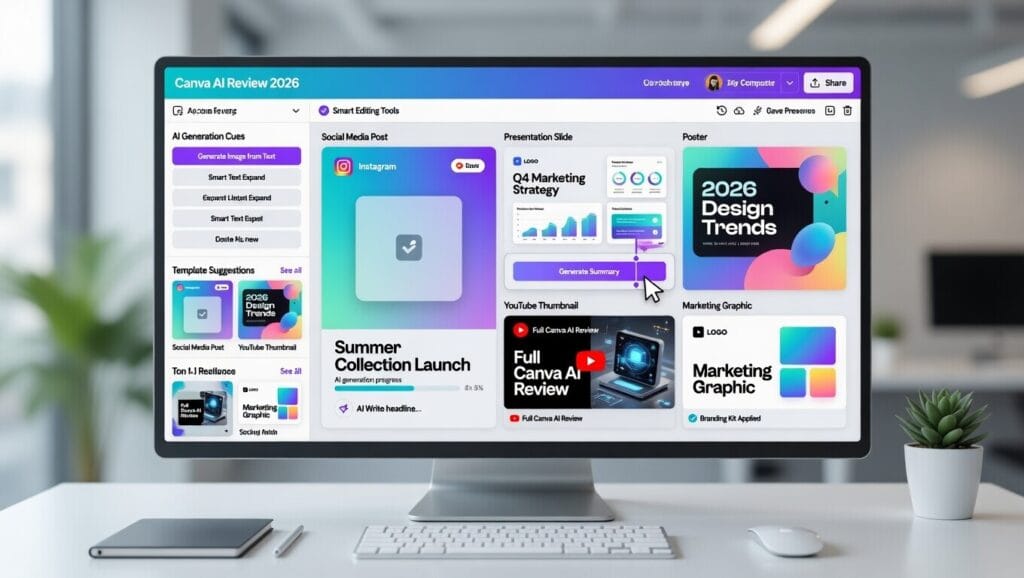
Magic Design is one of Canva’s most useful AI features because it can generate refined designs from your text and media. For people building social posts, presentations, flyers, thumbnails, and quick branded content, this is the kind of feature that saves an absurd amount of time.
3. AI image and photo editing
Canva offers AI image generation and AI photo editing, including tools like Magic Edit and background generation. Canva’s feature pages say users can create images from text prompts and also transform or clean up images with prompt-based editing.
4. Canva AI 2.0 workflows
Canva AI 2.0 adds broader workflows like connectors, scheduling, web research, brand intelligence, Sheets AI, and Canva Code 2.0, at least in research preview form. That is Canva basically saying, “we would also like to eat part of everybody else’s software lunch.”
5. Brand and team tools
Canva Pro includes premium content, AI features, and brand tools, while Canva Business adds higher AI access, advanced brand management, analytics, and shared workspace features for small teams. That makes Canva more than just a pretty design app for solo creators.
Where Canva AI Is Best
Canva AI is strongest for:
- content creators
- small businesses
- marketers
- social media managers
- people making presentations, thumbnails, docs, and quick branded assets
- users who want speed without wrestling with overly technical tools
This is especially true if you are the kind of person who needs to make a lot of decent-looking stuff fast. Canva’s whole business model is built around reducing friction, and the AI layer just pushes that even further.
Where Canva AI Falls Short
1. Free is good, but not magic
Canva says AI is available to everyone, including on the Free plan, but paid plans unlock increased usage and more advanced features. So yes, you can try it for free. No, free is not where the party really is.
2. AI usage limits are real
Canva’s help documentation explains that AI tools have monthly allowances that vary by plan and by tool type. So if you are generating like a maniac, you are going to run into those limits eventually.
3. It is amazing for speed, not always for originality
This part is editorial, but fair: Canva is fantastic for getting to “looks good and publishable.” It is not always the best tool if your whole brand depends on everything feeling wildly unique and hand-crafted from scratch. That is less a flaw and more the tradeoff of convenience.
4. Some advanced stuff is still evolving
Canva AI 2.0 includes research-preview style capabilities and newer workflows, which is exciting, but it also means parts of the platform are still growing into themselves. Fast growth is cool. It is also how products occasionally step on a rake.
Canva AI for Content Creators
For creators, Canva AI is kind of ridiculous in a good way. Thumbnails, Instagram posts, carousels, pitch decks, presentations, PDFs, mockups, quick brand kits, image edits — Canva already did a lot of this well, and the AI layer now speeds up ideation and first drafts even more. Canva’s product pages consistently position Pro and Canva AI around faster content creation with premium design assets and AI-powered tools.
If you post often, run a side hustle, or need polished visuals without opening five different apps and quietly losing your will to live, Canva AI makes a ton of sense. That second part is editorial. The usefulness is not.
Canva AI for Small Businesses
This is where Canva gets especially strong. Canva Business is aimed directly at small businesses and growing teams, with higher AI access, stronger brand management, analytics, and shared workspaces. Canva’s small business and business-plan pages make that pretty explicit.
So if you are a small business owner trying to make social content, flyers, promos, presentations, sales material, ads, and branded documents without hiring a full creative squad, Canva is one of the easiest recommendations on the board.
Canva AI for Teams and Brand Control
Canva is not just for solo creators anymore. Canva Business and Enterprise both push collaboration, approvals, shared assets, and brand consistency much harder than basic design tools do. Enterprise also positions Magic Studio and Canva AI as workflow-ready creative tools for organizations.
That makes Canva a sneaky strong option for teams that need content output at speed without everything turning into off-brand chaos. Which, let’s be honest, happens faster than people admit.
Canva AI Pros and Cons
Pros
- Very easy to use
- Strong for creators, marketers, and small businesses
- Magic Design is genuinely useful
- AI image generation and photo editing are built in
- Pro and Business plans add strong brand and workflow value
- Canva AI 2.0 is expanding the platform far beyond simple design
Cons
- Best AI access is on paid plans
- Monthly AI usage limits apply
- Some newer AI workflows are still evolving
- Convenience can sometimes lead to more “polished fast” than “totally original”
Is Canva AI Worth It?
Yeah — for a lot of people, absolutely.
If you make content regularly, run a business, manage a brand, or just need to produce polished visuals without wasting half your life in complicated software, Canva AI is very worth considering. The mix of easy editing, AI generation, templates, brand tools, and broader workflow features makes it one of the most practical AI platforms around right now.
If you are a casual user, Canva Free is a fine place to start. But for people doing real volume, Canva Pro or Business is where the tool starts earning its keep. That recommendation is editorial, but it follows the way Canva separates AI access and premium features across plans.
Final Verdict
Canva AI is one of the easiest AI tool recommendations to make in 2026 because it solves actual day-to-day problems. It helps people create faster, look more polished, and get more done without turning the process into a technical nightmare. Between Canva AI, Magic Design, image tools, photo editing, brand controls, and the broader Canva AI 2.0 push, this is clearly more than “just a design app” now.
Is it perfect? Nah. Limits exist, paid plans matter, and some of the newer AI stuff is still maturing. But overall, Canva AI is fast, useful, and dangerously convenient — which is a pretty strong combo if your job involves making things people actually have to see.
Final score: 8.9/10
Best For
Canva AI is best for:
- creators
- marketers
- small businesses
- social media content
- presentations and branded docs
- people who want polished output fast
Not Ideal For
Canva AI may not be ideal for:
- people who need extremely custom one-of-one design work
- users who will hit AI limits constantly but do not want to pay
- anyone expecting every free feature to be unlimited, because that is not how this movie ends